Horde 2 Winter: Slot Guide & Gameplay
Horde 2 Winter is listed as a slot game on JLBoss Games. For a clear first look, check the current paytable and help panel, confirm the cost of a round, and see how the game reports each result before deciding whether to continue.
Direct answer: the live game instructions—not the winter theme or title—explain its symbols, features and controls. A Horde 2 Winter Demo, if available, may help you learn the interface, but practice cannot predict paid outcomes.
Review the rules and choose a firm time and spending boundary before any session. Treat this slot as entertainment with uncertain results, never as a way to earn income or recover a loss.
More JLBoss Games slots to browse




What the Horde 2 Winter listing means
In short: Horde 2 Winter is categorized as a slot, which identifies its place in the lobby but does not establish exact rules, volatility, or a likely result. Check the current game screen for those details.
Start by finding the help or information control and reading the paytable. Look for the symbols used, how a round is completed, any named feature and its trigger conditions, and the way wins or other outcomes are displayed. If an instruction is missing or unclear, do not fill the gap with assumptions based on a different slot.
The name Horde 2 Winter can help you find the listing, but it is not a description of its mechanics. Confirm the selected stake and the cost shown before you act; then check the result and balance after the animation ends. Previous rounds, near misses and decorative effects do not make a particular outcome due.
For another listed slot with a different presentation, the Gummy Giga Match page offers a separate overview. Its rules and features should be assessed independently rather than transferred to Horde 2 Winter.
How Horde 2 Winter mechanics shape a round
Key point: the live paytable and help panel are the reliable source for the game’s actual mechanics. Read them before starting, then verify the stake and result using the on-screen information.
A practical check can be made in a few stages. First, locate the information area and identify the rules for symbols, paylines or ways if stated, and any feature that the game itself names. Next, find the stake selector, start control, balance display and result history if provided. Confirm that each control does what its label says before making a choice.
What to verify on screen
- Which amount is selected, and what a single action costs.
- How the help panel defines a completed round and any special feature.
- Where the result and balance update appear after a round.
- Whether an automatic or repeated-play setting is enabled and how to stop it.
Use a Horde 2 Winter Demo only as interface practice if a demo mode is actually offered. Its outcomes do not forecast paid play, prove an advantage, or show that a win is more likely next time. A measured JLBoss Games casino session begins with understanding, not with a prediction.
Compare Horde 2 Winter on practical terms
Bottom line: compare details you can verify—rule clarity, action cost, pace and ease of stopping. A slot’s title, category or artwork cannot show that its odds are better than another game’s.
Before opening Horde 2 Winter, ask whether the instructions explain the choices and whether the stake remains visible. Consider if you have enough time to review a result without rushing. If the controls are hard to follow or the cost is not clear, pause instead of testing them with money at risk.
Clarity
Can you find and understand the current rules?
Cost
Is the amount shown before each action?
Pace
Can you follow each result without feeling rushed?
Stopping
Do you know when to leave and how to keep a limit?
Someone exploring JLBoss Games club features should keep platform offers separate from a game’s rules. Review any current terms on their own, including eligibility and restrictions; an offer is not a reason to spend more than planned. For a different category, Bingo Fishing is another listing to compare by its own visible instructions and costs.
Track Horde 2 Winter progress without assumptions
Useful perspective: treat a milestone or visual change as feedback only when the live rules explain what it represents. A counter, animation or sequence is not proof that a reward is due.
If Horde 2 Winter displays stages, counters, a result history or feature markers, check the accompanying explanation before interpreting them. Note whether a marker describes a completed event, a remaining choice or simply presentation. Do not assume a visible step guarantees a prize unless the current rules explicitly define that outcome.
A simple personal progress check is more reliable than chasing in-game markers: remember your time limit, compare spending with the budget you set, and stop when either boundary is reached. This is not a method for changing the game’s result; it is a way to keep your own session within the plan.
- Read what a displayed marker means in the current help panel.
- Confirm the result and balance after each completed action.
- Do not increase a stake to recover a loss or reach a target.
- End the session at your chosen time or spending limit.
A practice option, if present, can help you locate those displays. Horde 2 Winter Demo rounds cannot tell you what a later paid round will do, and a prior result does not alter the uncertainty of the next one.
Visual details to inspect in Horde 2 Winter
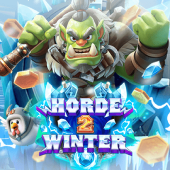
What to look for: use the available game artwork to identify the listing, then rely on the live interface—not a static image—to inspect controls, rules and round feedback. The artwork below is not a screenshot or evidence of a specific feature.
When opening the live title, look for a clearly labeled help control, a readable stake display, and a visible result or balance update. Check that buttons fit the screen and are easy to distinguish on a phone. These observations help you navigate; they do not establish a payout rate or predict a session.
Keep account credentials private and confirm that you are using the intended JLBoss Games destination before entering personal details. If any instruction, cost or control is ambiguous, leave the game until you can make an informed choice.
Compare Horde 2 Winter with a clear checklist
In brief: a useful comparison separates confirmed information from guesswork. Review the current rules, cost, pace and stopping options for each title independently; there is no reliable shortcut from one game’s result to another’s.
Before deciding
- Rules: are the round sequence and feature conditions explained?
- Amount: can you see the cost before confirming an action?
- Feedback: can you distinguish the final result from animation?
- Access: are the controls comfortable to read and use on your device?
- Limits: have you set a time and spending boundary that does not depend on winning?
Use this checklist for Horde 2 Winter and any separate listing, without assuming that a familiar theme means familiar mechanics. A sensible JLBoss Games club decision also includes reading current platform conditions and confirming local eligibility; access or membership features do not remove financial risk.
Only eligible adults should take part where permitted. Keep play optional entertainment, never use essential or borrowed funds, and stop if it becomes stressful or difficult to control. If gambling affects your wellbeing or finances, step away and seek support from someone you trust or a qualified local service.
Explore Horde 2 Winter thoughtfully
Check the live instructions, confirm the cost and choose a firm boundary before deciding whether to open the slot.